Velocity Snippets
Quick Accent Alternative with Text Expansion for macOS
Expand text as fast as you think. Accents, snippets, emojis, symbols – all by gesture. Quick Accent alternative with unlimited text expansion for macOS. No keyboard layout changes needed.
See It in Action – Real-time Performance
Why Velocity Snippets?

Zero Lag
Characters appear instantly with no delays. No clipboard manipulation, just pure speed.

Presets + Custom
Ready-made presets for instant start. All customizable or create your own mappings from scratch.

Improved Quick Accent Gesture
Hold key + activate, improved for maximum speed and natural writing flow.

Custom Mappings
Absolute freedom – create mappings for anything you want. Characters, symbols, emojis, snippets with cycling support.

Drag & Drop Editor
Create and organize snippets with drag & drop. No complex configuration – simply drag, drop, done.

Visual Overlay
See cycling variants while typing with customizable position.

Universal Support
Works in all macOS apps - Safari, Terminal, VS Code, Office, and more.

Accents Included
All Velocity Accents features included – plus unlimited snippets, emojis, and complex text expansion.

Per-App Configuration
Assign presets to specific apps – mappings switch automatically when you change focus.

App Filter
Whitelist or blacklist – you decide where Velocity Snippets is active and where it's not.
Easy to Use, Powerful to Master
Simple preferences, infinite possibilities

Preset Mappings
Choose from 10+ languages and presets
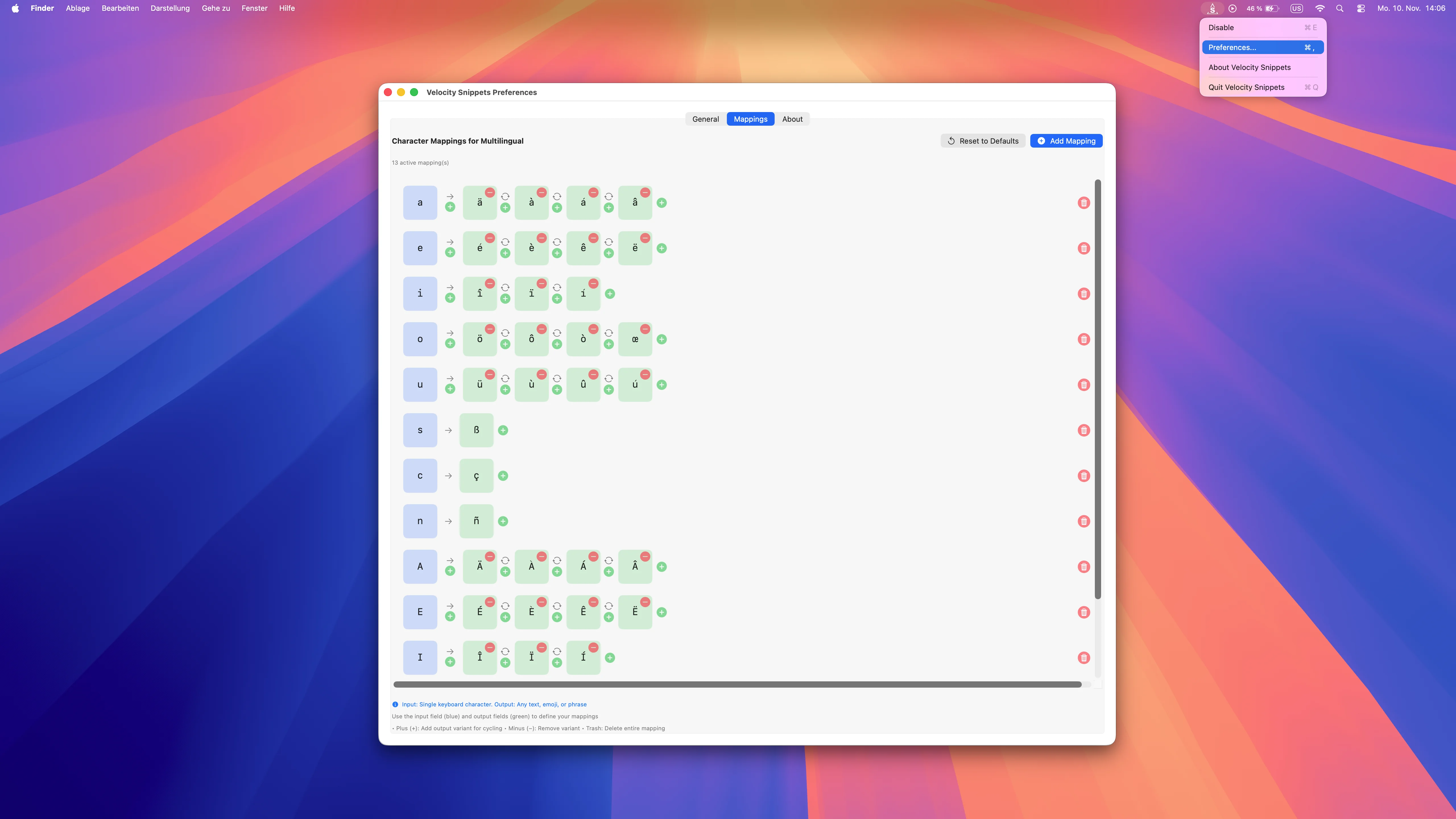
Multilingual
German, French, Spanish & more
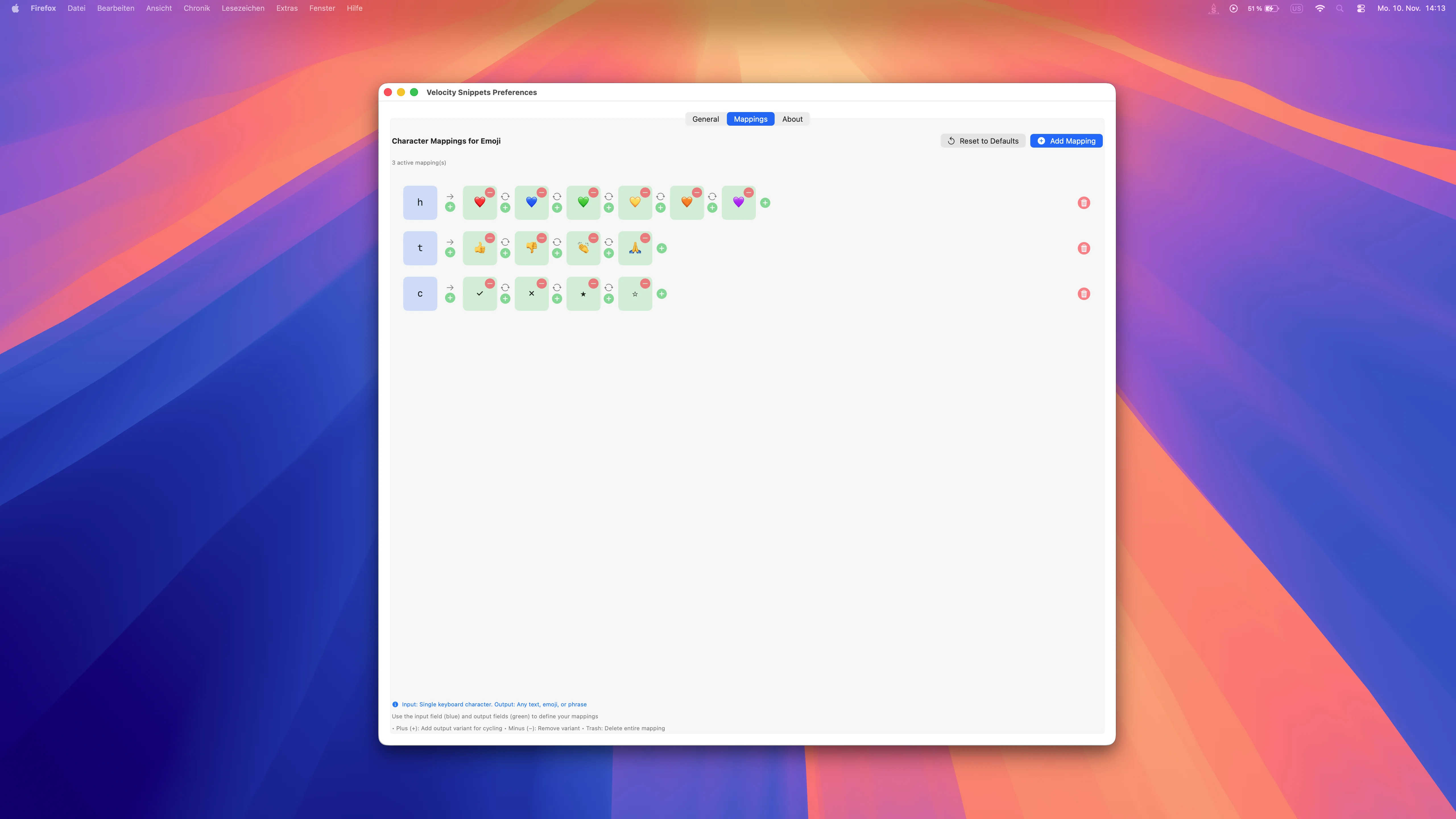
Emoji Support
Quick access to hearts, smileys & more
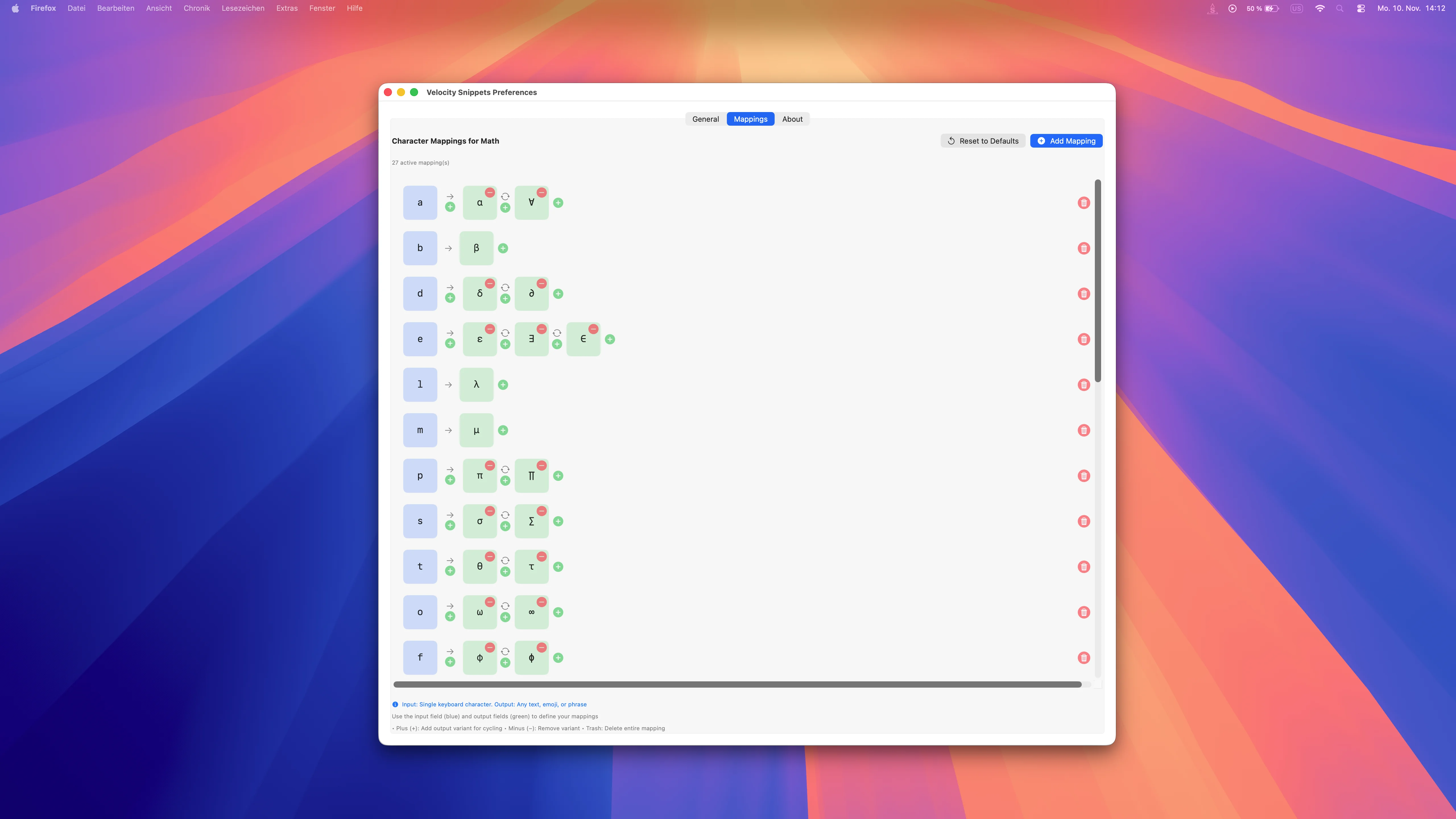
Math Symbols
Type π, α, β, √, ∫ instantly
↓ Scroll down to explore more features ↓
Experience the Power
Velocity Snippets live while typing

Emoji in Action
Quick emojis while typing
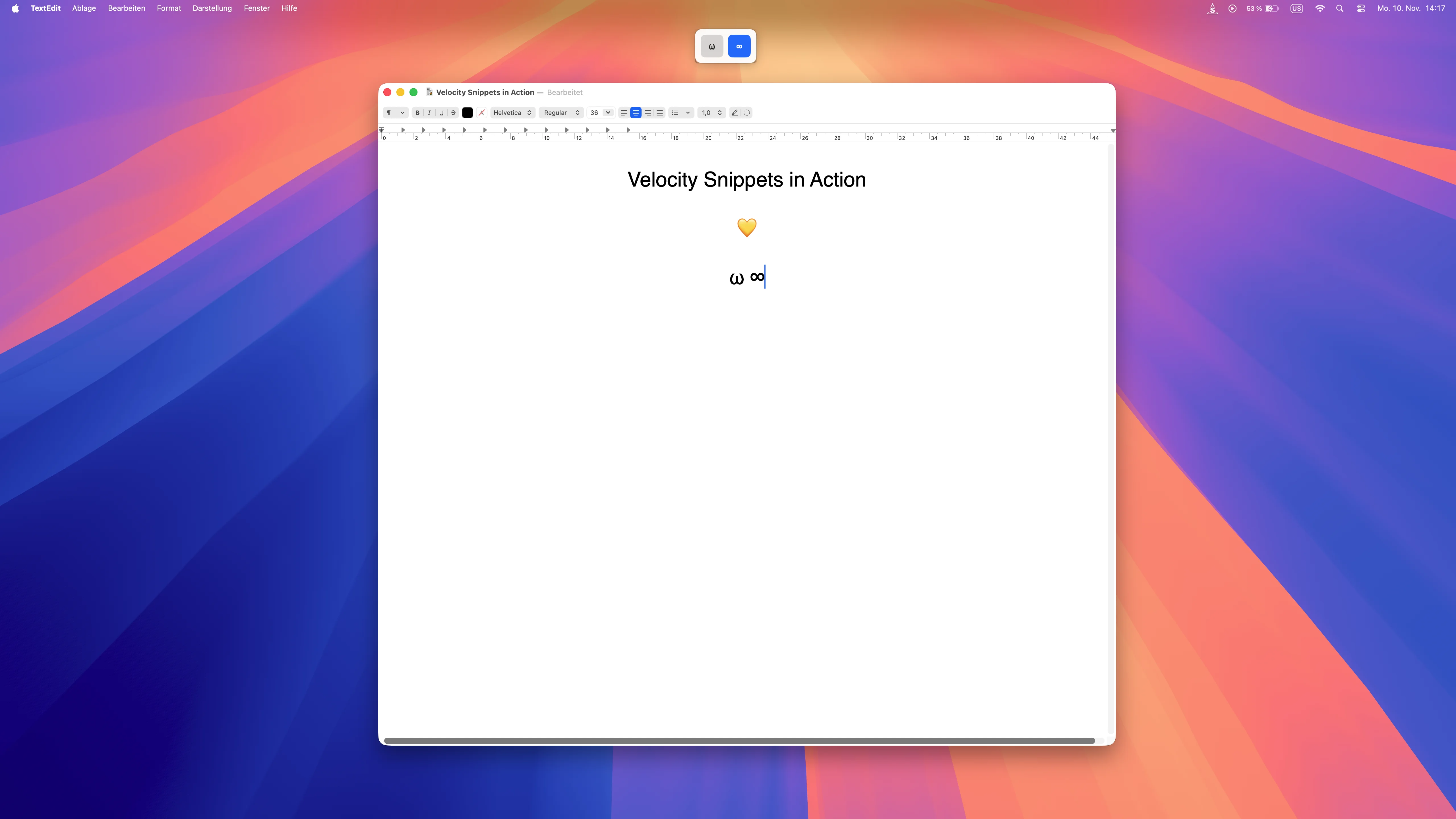
Math Symbols Live
Mathematical characters instantly available

Spanish in Action
Accents appear instantly while typing
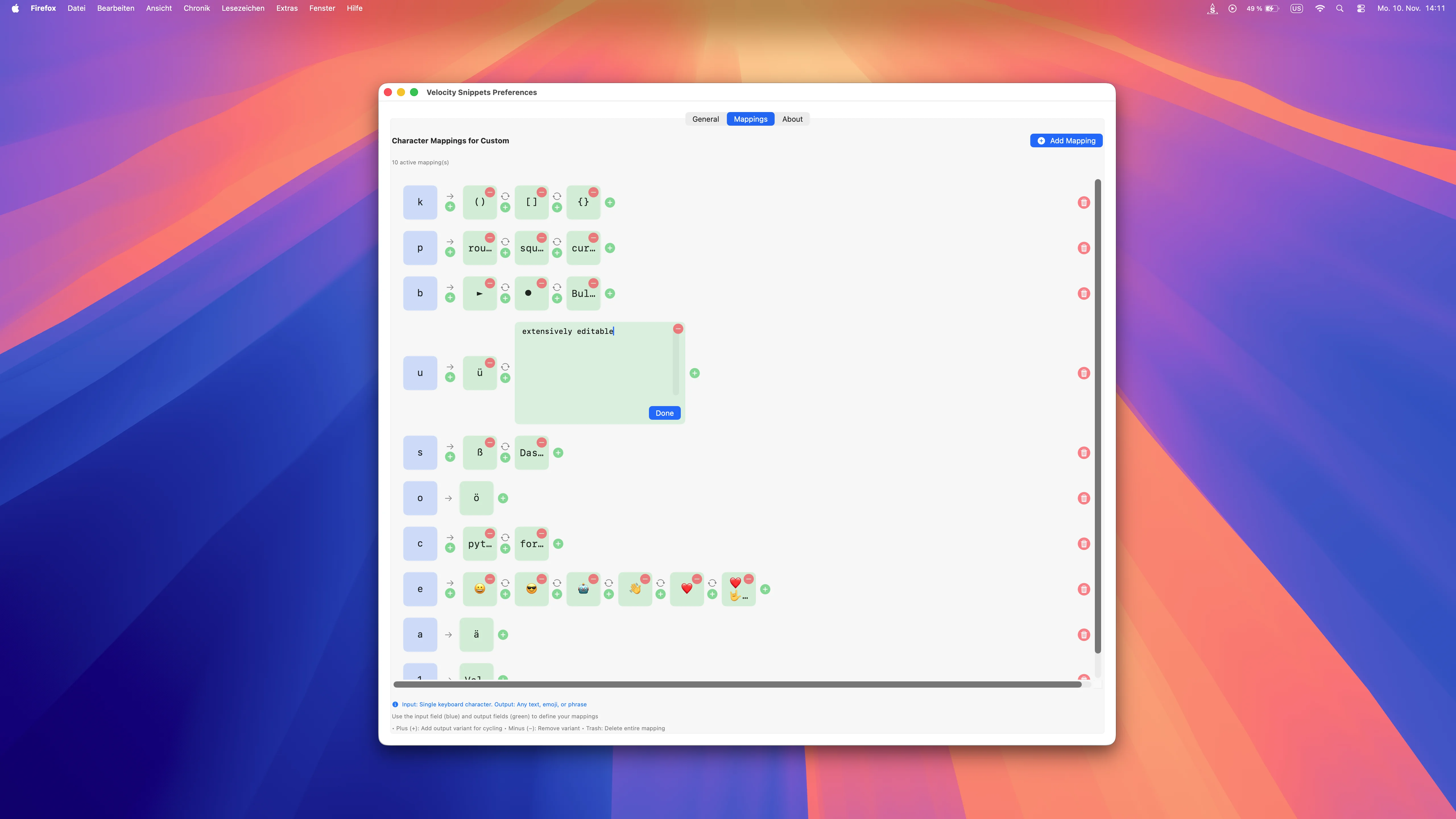
Custom Mappings
Create your own shortcuts and cycling
↓ Scroll down to see more ↓
Frequently Asked Questions
Velocity Snippets uses the same intuitive gesture as Velocity Accents:
- Hold a key (e.g., 'h' for heart emojis or custom mappings)
- Press the activation key (Space or configured arrow key) - the overlay appears
- Press the activation key multiple times to cycle through variants (❤ → 💙 → 💚 → 💛)
- Optional: Use arrow keys for direct selection
- Release the key when you see the desired snippet
Cycling makes it lightning-fast - whether single characters, emojis, or multi-line text snippets!
Velocity Snippets supports everything - without limits:
- Preset collections: 10+ languages (German, French, Spanish, Nordic, Portuguese, Italian, etc.), emojis, math symbols
- Custom presets: Create completely custom mappings for any key - single characters, words, sentences, code snippets, multi-line text
- Combinable: Use preset collections and extend them with your own mappings
- Unlimited: No restrictions on number or length of snippets
From single accents to complex code templates - you decide!
Yes! Velocity Snippets works system-wide in all macOS apps - Safari, Mail, TextEdit, Terminal, VS Code, Xcode, Office, Slack, and more.
Plus app filter for maximum control:
- Whitelist mode: Velocity Snippets is only active in selected apps
- Blacklist mode: Velocity Snippets is active everywhere except selected apps
- Perfect for avoiding conflicts with password managers or games
You decide precisely where Velocity Snippets works and where it doesn't.
No! Velocity Snippets works immediately after installation with sensible defaults.
Optional customization for power users:
- Per-app preset assignment: Assign different presets to different apps automatically (e.g., code snippets for VS Code, emojis for Slack)
- Activation key: Choose Space or arrow keys as activation key
- Gesture delay: Adjust the delay to match your typing style
- Overlay position: Place the overlay wherever it fits best
Start immediately or customize everything down to the smallest detail - your choice!
Velocity Snippets comes with 10+ ready-to-use presets:
- Languages: German, French, Spanish, Nordic, Portuguese, Italian, and more
- Emojis: Hearts, smileys, hands, arrows - frequently used emojis instantly available
- Math: π, α, β, √, ∫, ≤, ≥, ± and more symbols
- Customizable: All presets can be individually edited
- Custom presets: Create completely new presets from scratch
Perfect for immediate start with the option to customize everything to your needs.
When typing very fast, snippets might accidentally be inserted - namely when a key is still held while pressing the Space key.
Solution: Adjust the gesture delay time in settings individually:
- Frequent typos when typing fast: Decrease the delay
- No snippets generated (slow typing): Increase the delay
- Find your personal optimal balance between speed and precision
The adjustable delay time makes Velocity Snippets optimizable for every typing style.
Yes, and more. Velocity Snippets is a full PowerToys Quick Accent alternative for macOS - including all the accents and umlauts you know from Windows Quick Accent - plus unlimited text expansion for snippets, emojis and custom mappings.
If you miss Quick Accent from Windows or find the macOS accent menu too slow, Velocity Snippets fully covers that need and goes far beyond it.
Velocity Snippets is the professional extension of Velocity Accents. Both use the same Quick Accent gesture and cover umlauts, accents and special characters.
- Velocity Accents: the lean solution for multilingual typing
- Velocity Snippets: all Accents features plus unlimited custom text snippets (words, sentences, code), emoji mappings, math symbols, per-app configuration, drag-and-drop editor and app filtering
Same target audience, significantly extended feature set - for everyone who needs more than just accents.
Yes, fully. Velocity Snippets includes all language presets from Velocity Accents:
- German umlauts (ä ö ü ß)
- French accents (é è ê ë à)
- Spanish special characters (ñ á é í ó ú)
- Nordic characters (å æ ø)
- Italian and Portuguese accents
You can type umlauts on a Mac with US keyboard just as fast as with Velocity Accents - and additionally trigger snippets, emojis and custom mappings via the same gesture.
Get Velocity Snippets
One-time purchase • No subscription
Buy Now - $4.99✓ Apple notarized • Safe to install
System Requirements
- macOS 14.0 (Sonoma) or later
- Apple Silicon or Intel Mac
- Accessibility permissions (one-time setup)
- Works with all keyboard layouts
Quick Setup
- Download and open the DMG file
- Drag to Applications folder
- Launch and grant permissions
- App starts automatically
- Get started!